
Captains Journey Pirates are Coming — free online game
Captains Journey Pirates are Coming
5.7 / 10
Loading...
Captains Journey Pirates are Coming — free online game
Captains Journey Pirates are Coming
Don't like this game?
Tell us why
Continue on your phone
Scan the QR code to open this game on your mobile device
How to play
Captains Journey Pirates are Coming — free online game

Captains Journey Pirates are Coming

Rating
5.7 (7 votes)
Technology
HTML5 (Javascript)
Platform
Browser (desktop, mobile, tablet)
Screen Orientation
Landscape and Portrait
Release
November 2026
Name
Captains Journey Pirates are Coming
Category
Adventure & Action
Content
Kids-friendly No blood No cruelty

Captains Journey Pirates are Coming: груз, пираты и штормы

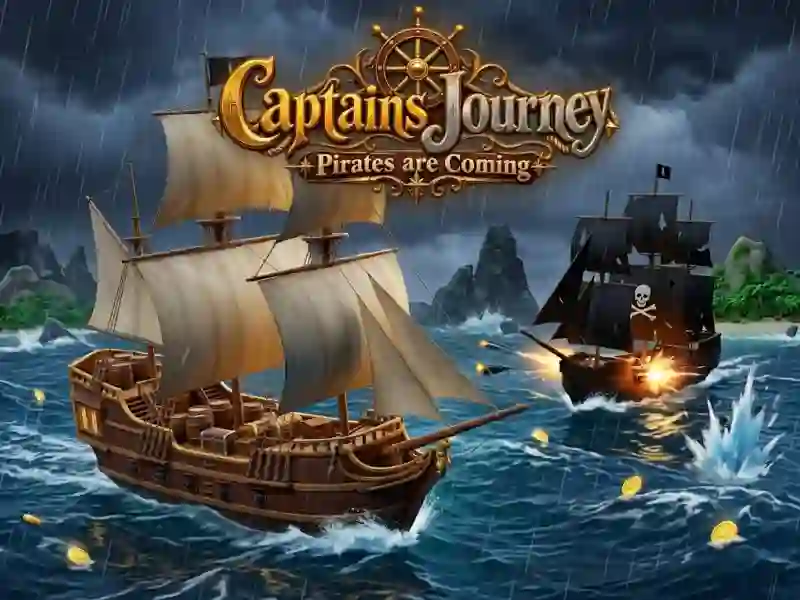
In Captains Journey Pirates are Coming, you carry cargo across the sea and try to get it there in one piece. На маршруте мешают пираты, камни и штормы. Это приключенческий экшен.

Where to start delivery

Сначала подъезжай к грузу и нажимай E или Enter, чтобы загрузить его. Потом доводи судно до точки сдачи и снова используй ту же кнопку. Your goal is to bring the cargo without loss along a sea route where there are pirates, rocks and storms.

Чем отличаются Calm Mode и Pirate Seas

В режиме Calm Mode ты сосредоточен только на доставке. In Pirate Seas, enemy ships appear and you navigate the ship through dangerous seas, just like in Sea Captain. Погода меняется динамически, поэтому шторм может вмешаться в путь.

How many levels and stars are there in each mode?

В каждом режиме есть 20 уровней, и за прохождение ты получаешь до 3 звёзд. Монеты открывают новые корабли, улучшения и цвета. The game also has daily rewards, tasks and achievements, so progress goes along several lines at once.

How to play

PC:

  • W / ↑ - acceleration
  • S / ↓ - reverse
  • A / D or ← / → - turn the ship
  • E / Enter - loading and delivery of cargo
  • H/Space - signal
  • Q/Shift - special ability
  • C - change camera
  • Drag and drop - look around
  • Mouse wheel - camera zoom
  • Esc / P - pause

Smartphone:

  • Virtual Stick - Course Control
  • Button on the screen “▲” - acceleration
  • Button on the screen “▼” - slowdown
  • Button on the “LOAD / DELIVER” screen - loading and delivery of cargo
  • Button on the screen “Horn” - signal
  • Button on the screen “Ability” - special ability