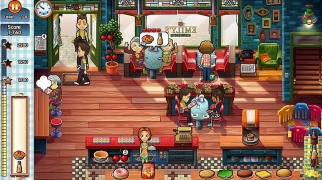


About Emily's New Beginning
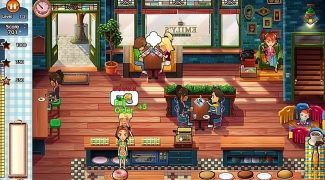
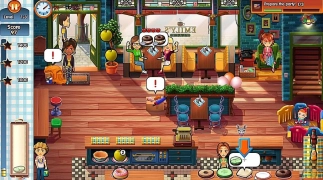
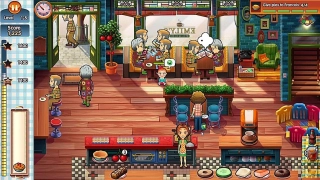
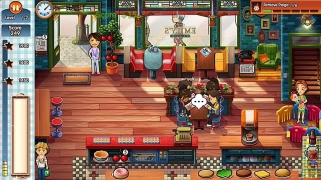
Cafe Emily: New Beginning (Delicious — Emily's New Beginning) is an emotional online game in the genre of time management. Your main mission is to help Emily rediscover her Cafe and combine running a fast-growing restaurant with caring for their young daughter, Paige. This touching story with elements of fast Services available to play on computer and smartphone.
The art of combining work and motherhood
This free game takes you into the world of fast-paced restaurant business, where every second counts. You have to go through 60 exciting levels in six unique locations, developing your business and collecting family memories. As in Dream sushi restaurant: Good pizza, not only quality is important here, but also speed in order to get maximum tips. This browser game requires high concentration.
Service dynamics
In each level you need to quickly take orders, prepare complex dishes (burgers, apple pies, ice cream) using the correct sequence of clicks and serve them to customers before they get angry. The most important part of gameplay is multitasking. You need to keep an eye on the kitchen, the cash register, the cleanliness of the tables and, most importantly, little Paige, who might escape from the playpen! This constant race against time makes the game incredibly addictive for anyone who loves games online.
Development and Plot
In addition to dynamic Services, you will follow a touching story. You have to compete with the new fashionable restaurant located across the street. To win, you need to constantly expand the menu, improve the kitchen equipment and use strategic solutions to cope with the influx of visitors. If you liked Emily's Delicacies, then this part of the series will give you even more of your favorite characters and unforgettable moments available without installation on your device.
Cafe management
Since this is a time management game, the core of the gameplay is to interact with objects quickly and accurately. Controls optimized for all devices for PC and mobile devices.
On PC (computer):
- Mouse (Left mouse button) — main action: accept the order, take the ingredient, prepare the dish (by clicking in the desired sequence), serve the order to the client, collect money from the cash register, clean the table, interact with Paige.
- Right mouse button — (rarely used) alternative action or exit from menu.
On a smartphone/tablet:
- Tap (touching the screen) — the main action: selecting and performing all Maintenance steps (similar to LMB on a PC).
- Swipe — scroll the screen (if necessary).
Manage your Cafe on SGameS without installation. Works on PC and phone. Start your new beginning now!