


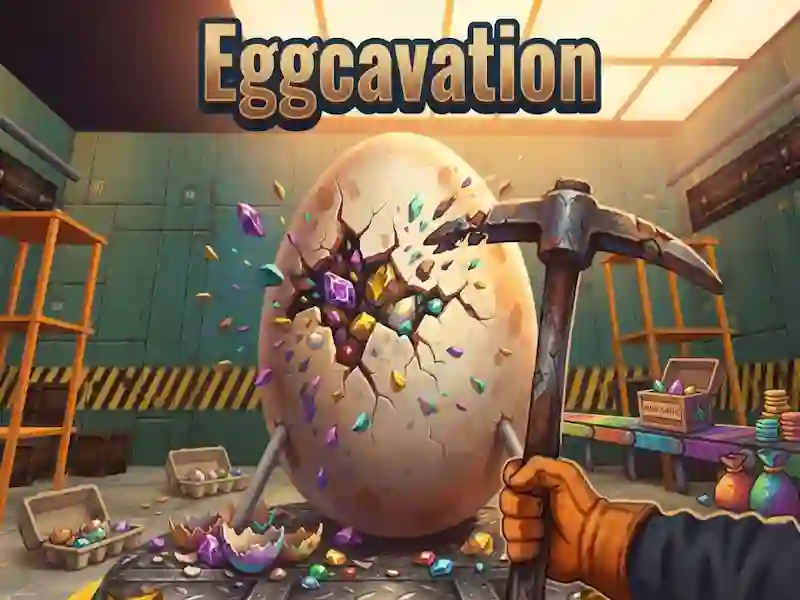
Eggcavation: egg layers and fury
In Eggcavation, you smash a giant egg layer by layer and carry the pieces to the terminal. This is a strategy about tempo: you decide when to push further and when to take money for new tools. If you hit one spot for too long, the egg gets angry and throws you out of the room.
How to start breaking an egg into layers
- Approach the egg and hit one point until the slab breaks off.
- Collect the pieces in a bucket and don't linger on the crack.
- Hand over your loot at the terminal and collect cash.
- Spend them on stronger tools and get to the core.
What to buy with your first money
Here there is destruction of the same place, and the longer you press, the higher the payout. Then the store gives you new tools, dynamite, drones and equipment. With their help, you go through the shell, membrane and ore with gold veins until you reach the glowing core and hatch it.
What happens after 10 strange instances?
First you go through 10 strange instances, and then the game goes into endless larger eggs. Progress is saved automatically, and parties are interrupted by boss fights and random events: gold rush, blackout, egg sneeze and eggquake. Leveling up occurs between games, like in Idle Cinema Tycoon, and for it you get chick pets, loot boxes, trophies, daily tasks, a 7-day gift and a Wheel of Fortune.