

Flight Sim Air Traffic control: draw landing paths for planes and helicopters
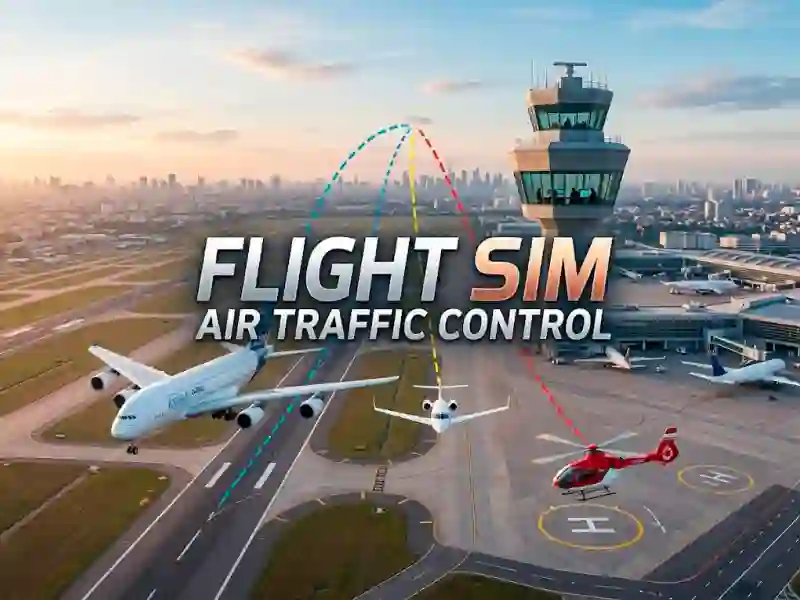
In Flight Sim Air Traffic control, click an incoming aircraft, then draw a dotted route to the runway or helipad before two paths cross. The top-down airport view keeps both landing zones visible, and the split traffic pattern gives you a quick read on who can land now and who needs to wait. This fits neatly in the children’s games section because the controls are just click and drag, but the screen can still fill up fast.
The action belongs in the Flight tag too, because every move is about routing aircraft safely through a busy sky. You are not steering a cockpit here; you are managing arrivals, and the pressure comes from spacing, timing, and keeping the runway open. Since it plays in your browser with no download, you can start a session in seconds and focus on clearing each landing without a crash.
That airport management feel lines up with airport games, especially Airport Rush, which also asks you to juggle traffic flow under pressure. The difference is the direct drawing step, where each line becomes a flight path you need to judge against the next incoming aircraft. If one route gets too long, the queue gets messy very quickly.
Flight Sim Air Traffic control scoring: keep every landing sequence safe
Each safe landing adds points, so your score rises only when the runway and helipad stay clear long enough for the next move. If you like that route-planning pressure, Plane Fly Zone is a close match because it also turns aircraft guidance into a fast reaction challenge. You can even compare the pace with Flight Simulator 737-800, though that game shifts toward flying a single jet instead of directing traffic. The result is a browser game that stays focused on one job: draw the path, avoid a collision, and keep the airport moving.