
Obby online with friends: Draw and Jump! — free online game
Obby online with friends: Draw and Jump!
7.3 / 10
Loading...
Obby online with friends: Draw and Jump! — free online game
Obby online with friends: Draw and Jump!
Don't like this game?
Tell us why
Continue on your phone
Scan the QR code to open this game on your mobile device
How to play
Obby online with friends: Draw and Jump! — free online game

Obby online with friends: Draw and Jump!

Rating
7.3 (15 votes)
Technology
HTML5
Platform
Browser (desktop, mobile, tablet)
Screen Orientation
Landscape
Release
May 2026
Last Update
May 2026
Name
Obby online with friends: Draw and Jump!
Category
Adventure & Action

Obby online with friends — parkour with drawing online

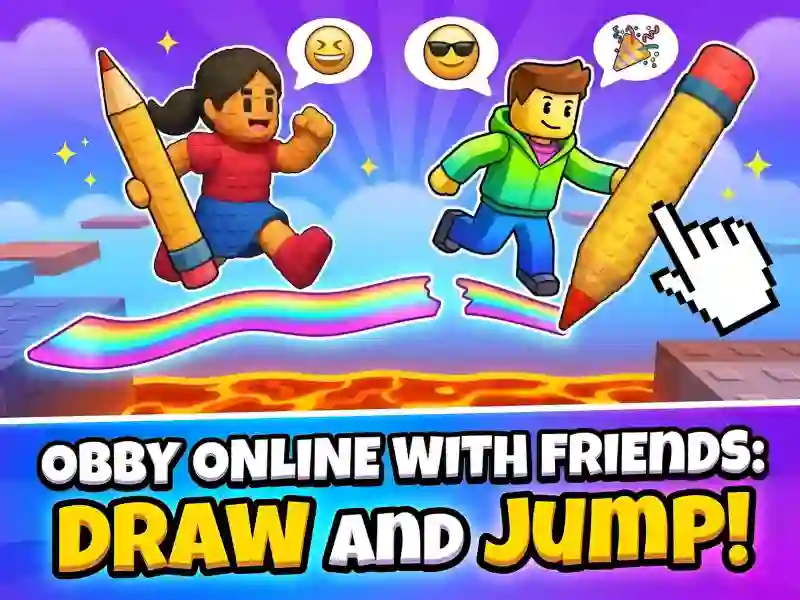
Obby online with friends: Draw and Jump!) — multiplayer parkour with elements Obby and drawing platforms. You control your character and draw bridges as you go. Similar gameplay Draw Climber Available on PC, smartphones and tablets.

Basic gameplay

Each level is an obstacle course with abysses, traps and riddles. You draw platforms with a pencil and immediately run along them. Ink is limited — each line requires calculation. Mechanics jumping works in conjunction with drawing: without an accurate jump, even a perfect platform will not help. In real time, other players are running nearby.

What to do

Reach the finish line first. Draw bridges and ramps where there is no floor. Erase old lines to free up ink for new ones. Collect stars and Robux along the way — they unlock new skins.

Levels and goals

The levels become more difficult with each stage. New zones add custom traps and gold blocks. The golden block destroys the character — go around it through the drawing. The leaderboard records the best players on the server.

Who is this game for?

The game is suitable for fans of parkour, Roblox and creative platformers. It's easy for beginners to master the controls in 2-3 levels. Short sessions of 10 minutes or long runs with friends — both formats work. The optimal age is from 8 years.

How to play

  1. Select a character and press "Play".
  2. Move with the W/A/S/D keys, jump — Spacebar.
  3. Press Q for drawing mode, draw platforms with the left mouse button.
  4. Erase extra lines to save ink.
  • Lifehack 1: Draw short ramps instead of long bridges — they use less ink.
  • Lifehack 2: Erase the platforms behind you immediately — opponents will not be able to use them.

Play Obby online with friends for free — without installation on your PC, smartphone or tablet, right in your browser!

SGameS is waiting for you Obby Tower Parkour Climb, Obby On a Bike And Obby Prison Escape Speed — play right now!

Platform

Browser Desktop , Mobile and Tablet

Release

25 may 2026

Last Update

25 may 2026

How to play

PC:

  • WASD/arrows — movement
  • Space — jump
  • Q — drawing mode
  • LMB (hold) — draw
  • RMB — erase

Smartphones:

  • Joystick — movement
  • Button — jump
  • Swipe — draw / erase

FAQ — Frequently Asked Questions

What is the game Obby online with friends about?

This is a multiplayer parkour game with drawing mechanics. You draw platforms with a pencil and run along them to the finish line. Real players compete nearby in real time.

What genre does this game belong to?

It is a parkour platformer with drawing and multiplayer elements. The genre combines Obby, jumping and creative puzzle solving.

Who is it for?

The game is suitable for players aged 8 years and older. Fans of Roblox, parkour, and competitive platformers with friends will especially enjoy it.

What makes it interesting?

Ink is limited — you constantly choose where to draw and where to erase. This creates pressure and makes each level unique.

Is the game available on mobile devices?

Yes. The game runs directly in the browser of your smartphone or tablet. There is no need to download anything.


Is the game free?

Yes. You can play Obby online with friends for free on SGameS. The game runs directly in the browser without installation.

Is there a full screen mode?

Yes. Click the full screen button in the game interface. Available on PC and tablets.

What happens when I run out of ink?

You switch to the eraser and erase the old lines. The released ink is immediately returned to stock for new platforms.