

Color Pixel Art Classic — pixel coloring online
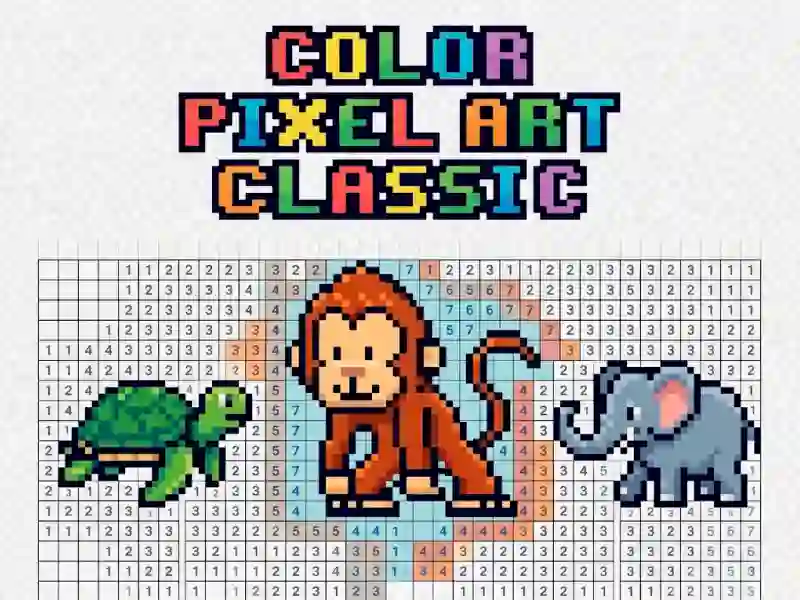
Color Pixel Art Classic — pixel coloring book in the format coloring pages by numbers. You select a picture and paint the pixels in the desired colors. Similar calm rhythm Pixel Coloring The game is available on PC, smartphones and tablets. The game helps you relax.
Color every pixel
You choose a color from the palette. The game immediately highlights all pixels of that color on the grid. You click on pixels or hold down a button and drag across the screen — like an artist's brush. Tag relaxation describes this process exactly: no timers, no pressure. Do you like to paint the mesh methodically? Rate and Color by Numbers You use zoom, zoom and swipe to accurately work with small details.
Choose a picture and start
The gallery contains 152 unique drawings. You choose a category: animals, flowers, transport, fantasy creatures. Each pixel has a number. The number corresponds to the color in the palette. You paint all the pixels with the same color — then take the next one. The finished image is saved automatically.
Progress and collection
The game saves all completed drawings to a personal gallery. You come back and look at the collection of completed works. Pictures of varying complexity: from simple shapes to detailed portraits. Fans of the genre often choose Pixel Art — Color by Numbers for more complex circuits.
For lovers of meditative creativity
The game is suitable for children aged 6 years and older and adults looking for a quiet activity. The format works for short sessions of 10–15 minutes and long evening coloring sessions of an hour. No competition, no ratings — just color and pixels.
How to go through a picture to the end
- Choose a drawing from the category you like.
- Zoom in on the grid and the numbers on the pixels will become clearly visible.
- Choose one color from the palette. Paint all highlighted pixels at once.
- Move on to the next color. Repeat until the grid is filled.
- Wait for automatic saving — the drawing will appear in the gallery.
- Paint one color completely before moving on to the next. This way there are fewer mistakes and the result is visible faster.
- Use zoom for small details. Precisely hitting the pixel saves time on corrections.
Launch Color Pixel Art Classic right now — for free, without installation on your PC, smartphone and tablet, right in your browser!
Platform
Browser Desktop , Mobile and Tablet
Release
10 april 2018
Last Update
11 june 2026