

About FNAF Coloring Book
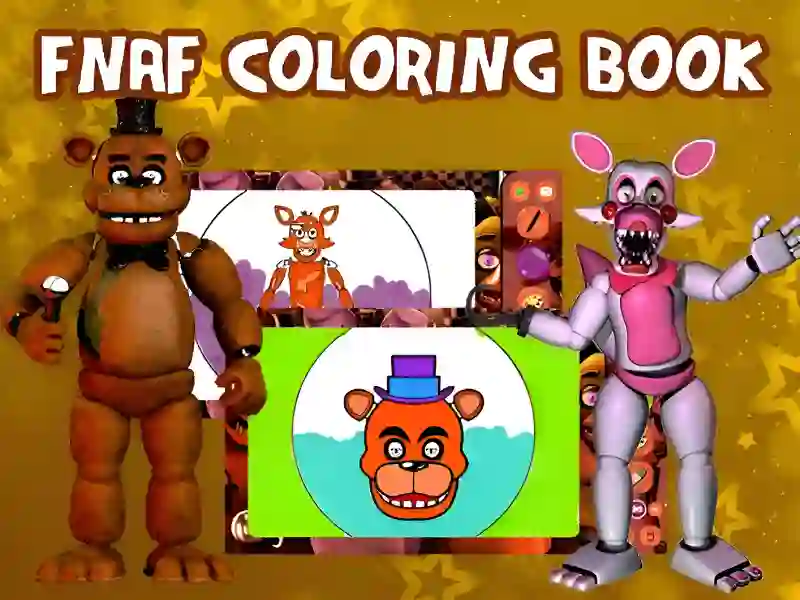
FNAF Coloring Book is a fun creative project in the genre of interactive drawing. This game is on a par with such projects as Plants vs Zombies Coloring And Coloring Book: Labubu Main thematic categories include Coloring pages And Five Nights at Freddy's Here you play the role of a digital artist who has been entrusted with the task of returning color to the famous characters of a creepy pizzeria. Your main goal is to show your imagination and create a gallery of unique images for your favorite characters. The project is developed using HTML5 technology, which allows you to run it both on personal computers and on any modern mobile devices.
Basic gameplay
A large virtual album with images of iconic animatronics opens in front of you. At the bottom of the screen there is an extensive paint palette and a set of drawing tools. You need to select certain areas of the black and white sketch and fill them with the selected color. You can follow the canonical images from the original series or completely change the appearance of the characters, making them even more frightening or, conversely, unexpectedly bright and friendly. The creative process is not limited by time, which allows you to work out in detail each element of the drawing.
Levels and goals
The game presents many different sketches, each of which can be considered a separate stage of creativity. Your main goal is to fill all available images with color in order to collect a complete collection of completed works. Each picture offers varying degrees of detail, from simple portraits to complex scenes with multiple participants. The passage is considered successful when there are no empty areas left on the canvas, and the result completely satisfies your aesthetic vision.
How to play
To get started, select your favorite character in the main menu. In the toolbar you will find brushes of different sizes and a fill that allows you to quickly paint over large areas. One useful hack: use the zoom function to carefully paint small details, such as eyes or mechanical joints of robots. Another tip is to experiment with contrasting colors to emphasize the gloomy atmosphere and make the image more dimensional. When your work is done, you can reset your progress and start over, trying completely different color schemes.
Controls in FNAF Coloring Book
PC:
- Use the left mouse button to select a color from the palette and click on areas of the drawing. Scrolling the mouse wheel allows you to zoom in on the image.
Smartphones:
- Just touch the screen with your finger to select tools and paint over segments of the picture. Use the familiar two-finger gesture to zoom the canvas.
FAQ — frequently asked questions
How is progress saved?
Your current sketches and completed works are automatically saved in your browser's cache, so you can return to your creativity at any time without losing your current drawing.
What devices is the game available on?
You can draw on any device with Internet access, including desktop computers, laptops, tablets and modern smartphones based on Android or iOS.
Is registration required?
The creative process is completely free and does not require creating an account or entering personal data, which allows you to start coloring immediately after loading the page.
Play SGameS without installation on PC and smartphones.