
Color Pixels Coloring By Numbers — free online game
Color Pixels Coloring By Numbers
8.1 / 10
Loading...
Color Pixels Coloring By Numbers — free online game
Color Pixels Coloring By Numbers
Don't like this game?
Tell us why
Continue on your phone
Scan the QR code to open this game on your mobile device
How to play
Color Pixels Coloring By Numbers — free online game

Color Pixels Coloring By Numbers

Rating
8.1 (16 votes)
Technology
HTML5
Platform
Browser (desktop, mobile, tablet)
Screen Orientation
Landscape and Portrait
Release
June 2025
Last Update
August 2026
Name
Color Pixels Coloring By Numbers
Category
Skills

Color Pixels Coloring By Numbers — coloring by numbers from small cells

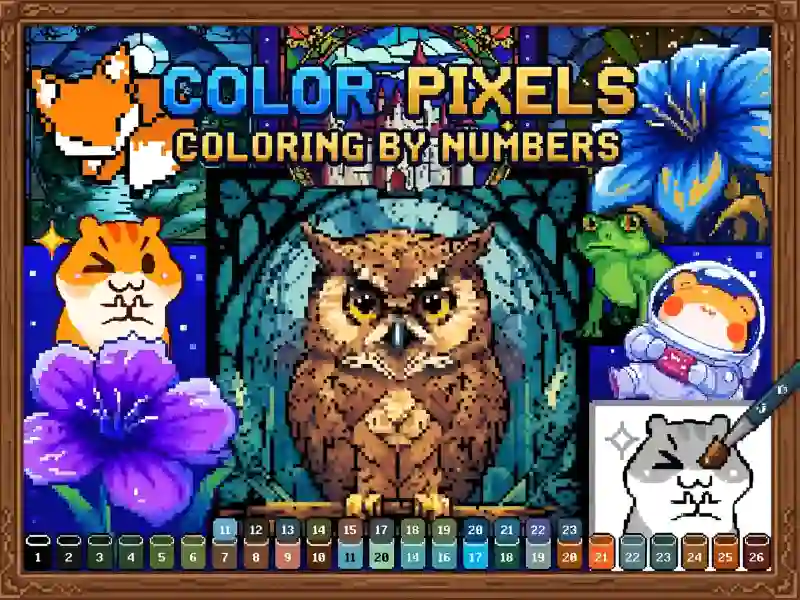
You open the gallery, select a category, and then a picture inside it. The picture is black and white and divided into small square cells. Each cell contains a number. At the bottom of the screen there is a palette: you take the color with number one and paint all the cells with this unit, then move on to the next color. Built on the same principle Numicolor, where the pictures are also arranged by topic.

The subjects here are pixelated and simple: a cat, a fox, a dove, a frog in a spacesuit. It is almost impossible to make a mistake, because the cell number must match the number of the selected color. Because of this, the game works as a relaxing activity without a timer and without losing. Calm coloring by cells is also available in Color Pixel Art Classic.

Why you can't do without scale

The cells are small, and in general the numbers in them are not readable. That's why there's a scale slider at the top of the screen. On a computer, you can zoom in on the image using the mouse wheel; on a phone and tablet, you can use a two-finger pinch. The approximate image is moved by dragging. The game also has boosters — separate tools that speed up painting over when the picture is large.

Platform

Browser Desktop , Mobile and Tablet

Release

26 june 2025

Last Update

27 august 2026

How to play

PC:

  • Click — paint the cell
  • Mouse wheel — scale
  • Drag — move the picture
  • Palette below — color selection


Smartphones:

  • Touch — paint a cell
  • Two finger pinch — scale
  • Drag — move the picture
  • Palette below — color selection

FAQ — Frequently Asked Questions

What to do if the numbers in the cells are not visible?

Zoom into the picture using the zoom slider at the top of the screen. On a computer, the mouse wheel does the same; on a touch screen, pinch with two fingers. Once zoomed in, the numbers can be read clearly.

Why are boosters needed?

These are special tools that speed up painting. They are useful in large pictures, where there are a lot of cells and it takes a long time to fill each one manually.

How to find a picture of the desired topic?

First, select a category in the gallery, and then a picture inside it. The pictures are arranged by topic, including many pixelated animals.

Can I play on my phone?

Yes, the game works on computer, phone and tablet. Both screen positions are supported — vertical and horizontal.