

Escaping Blockov: raids with loot removal
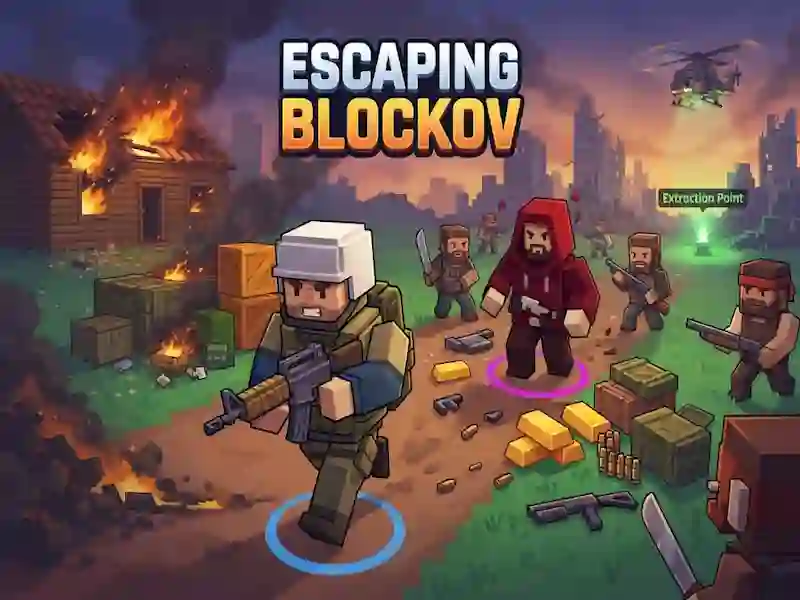
In Escaping Blockov you enter a raid with the selected equipment, look for loot and go to the exit point. Here, every raid is a risk: death leaves behind everything you brought with you, and a successful exit keeps all the loot. This is one of the top down loot collecting shooter games.
How to start your first raid in Escaping Blockov
- Choose your gear and enter the raid zone.
- Search the boxes and take loot from killed enemies.
- Decide whether to go to the exit or go deeper into the hatch.
- Get to the evacuation point and save everything you carry.
When to go to the exit and when to go down
In each raid, you decide for yourself how much more to carry. If you leave through the evacuation point, everything you find will remain with you. If you go down through the hatch below, the enemies hit you harder, but the loot there is more valuable. The same calculation of progress is needed in Bank Robbery: Escape, when you collect loot and choose whether to carry it to the exit.
What to do between raids
After the raid, you sell the loot and take on new tasks. With the help, you can improve your bunker and increase the rank of your favorite weapon. This is how progress occurs not only in the zone, but also between attacks. Trophies from a successful exit become a resource for the next raid.