
RIVALS FPS: Online Shooter — free online game
RIVALS FPS: Online Shooter
8.8 / 10
Loading...
RIVALS FPS: Online Shooter — free online game
RIVALS FPS: Online Shooter
Don't like this game?
Tell us why
Continue on your phone
Scan the QR code to open this game on your mobile device
How to play
RIVALS FPS: Online Shooter — free online game

RIVALS FPS: Online Shooter

Rating
8.8 (250 votes)
Technology
HTML5
Platform
Browser (desktop, mobile, tablet)
Screen Orientation
Landscape
Release
April 2026
Last Update
April 2026
Name
RIVALS FPS: Online Shooter
Category
Shooters

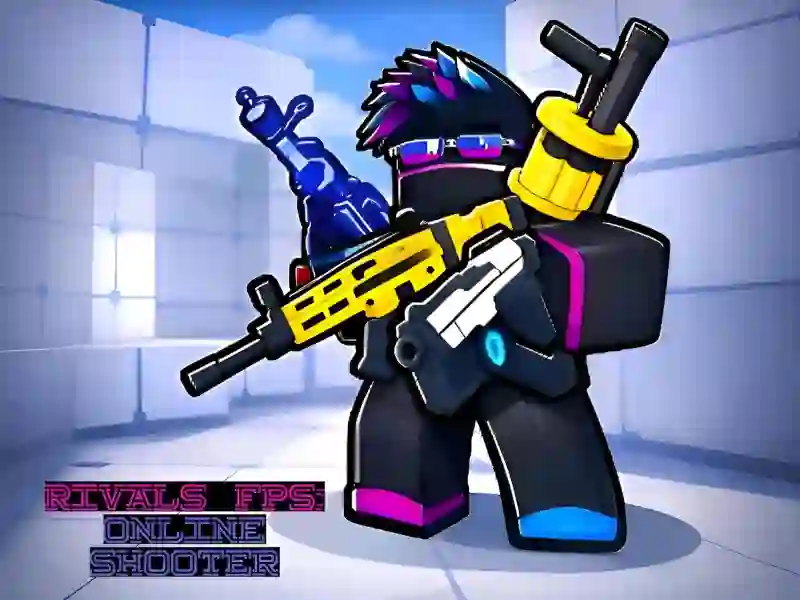
RIVALS FPS: Online Shooter matches on bright 3D arenas

RIVALS FPS: Online Shooter drops you into short first-person matches on bright 3D block-style maps, where every round is about choosing a weapon, reading the lane, and staying on top of the scoreboard. The mix of Team Deathmatch and Battle Royale gives the action a different shape from round to round, and the colorful layouts make flanks and close-range pushes easy to spot.

That format fits the browser shooter category neatly: you can create a lobby or join one, then jump into a multiplayer fight without download or signup. Each match hands out Cash and Gems, so you can unlock new gear and outfits between rounds instead of waiting for a long campaign. The game also plays on mobile and desktop, which matters when you want the same arena match on a phone, tablet, or PC.

Loadouts, rewards, and short match pressure

Weapon choice matters from the first spawn, and the weapons tag is not just decoration here because your loadout changes how you hold a lane or push into a crowd. Daily logins and post-match rewards feed progress, while the global leaderboard gives each elimination a clear payoff beyond the current round.

If you like the arena flow of Venge.io, you will recognise the fast swaps between movement and aim. It also shares the short-match pressure of Deadshot.io, where positioning and aim decide fights before the timer runs out. Fans of Ev.io will find a similar browser-first rhythm, especially in the way quick respawns keep the pace high.

On PC, use WASD to move, the mouse to aim, Space to jump, C to crouch, and E to interact with map objects. On mobile, the left joystick handles movement and the right-side swipe controls let you turn and line up shots, so you can start playing in your browser with no download needed.

Platform

Browser Desktop , Mobile and Tablet

Release

21 april 2026

Last Update

21 april 2026

How to play

PC:

  • WASD — movement
  • Mouse — sight
  • LMB — shot
  • RMB — sight / zoom
  • Space — jump
  • C — sit down

Smartphones/tablets:

  • Joystick — movement
  • Swipe — aim
  • Button — shot

FAQ — Frequently Asked Questions

What is Rivals FPS: Online Shooter about?

Rivals FPS: Online Shooter is a browser-based first-person shooter with online multiplayer. You fight against players from all over the world in block-style 3D arenas. The goal is to score more points than your opponents and rise in the global rankings.

What genre does the game belong to?

The game belongs to the genre of multiplayer first-person shooters. It combines an arcade style, competitive gameplay and a progression system with rewards.

Who is Rivals FPS: Online Shooter for?

The game is suitable for casual and competitive players aged 12 years and older. Simple rules attract beginners. The ranking and progression system keeps experienced players.

What makes Rivals FPS: Online Shooter a fun game?

Each match lasts a few minutes — no long sessions. Cash and Gems after battles provide purpose beyond just shooting. You are always progressing.

Can I play Rivals FPS: Online Shooter on a mobile device?

Yes. The game runs directly in the browser of your smartphone or tablet. There is no need to download anything.

Is Rivals FPS: Online Shooter a free game?

Yes. Rivals FPS: Online Shooter is free to play on SGameS. The game runs directly in the browser without installation.

Can I play Rivals FPS: Online Shooter in full screen mode?

Yes. Click the full screen button in the game interface. Available on PC and tablets.

Do I need to go through training before playing multiplayer?

Yes. The game starts with a tutorial. It unlocks access to multiplayer arenas. The training is short and completed in a few minutes.