

Flying Robot Transform Car Games — online robot simulator
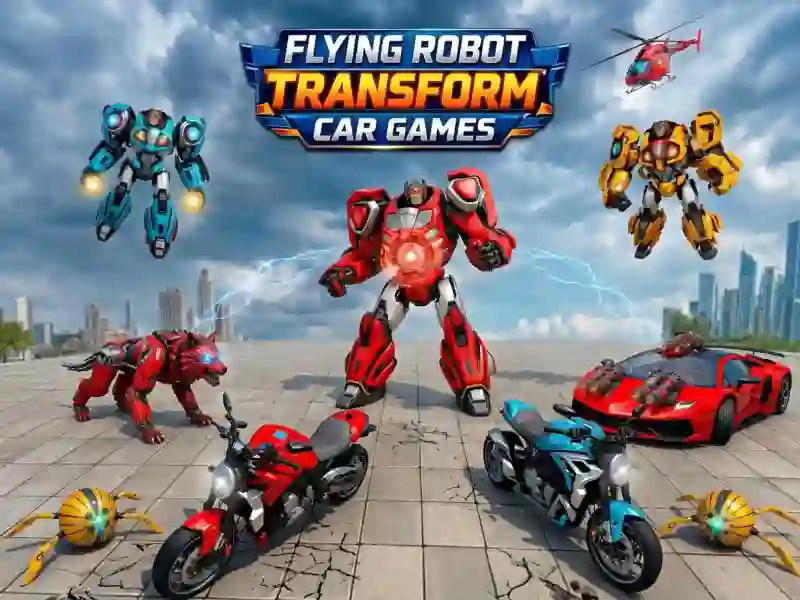
Flying Robot Transform Car Games is an action simulation game with transformation mechanics and combat missions. You control the Wolf Robot and protect a futuristic city from an invasion of enemy machines. The transformation system here goes deeper than in Robot Simulator — you get 6 forms right away instead of just one. The game runs on PC, smartphones, and tablets. It’s perfect for a quick break.
Transform for every situation
This is the core mechanic. You switch between 6 forms: a battle robot, a fast car, a motorcycle, a helicopter, a jet, and a heavy tank. Each form has its own job. The car is for chases. The plane is for air combat. The tank is for breaking through enemy groups. You use rockets, special attacks, and combo hits. Enemies get tougher with every level — the first missions teach you the switches, then the pace ramps up fast. Robots also work here as a full combat class with melee attacks. Fans of Superhero Hammar Man use a similar form system.
The Wolf Robot’s mission
You complete quests in two modes. In mission mode, you destroy targets, protect civilians, and fend off boss attacks. In free mode, you explore the open world, collect resources, and practice transformations with no time limit. You earn coins for every mission. Coins go toward weapon upgrades and new transformation abilities.
Progress through city levels
Levels unlock one after another. Each new level adds enemies with fresh attack patterns. Bosses appear every few missions — each one has a unique tactic. Upgrades affect damage, speed, and rocket range. Progress is fast in the first third of the game, then it calls for smarter upgrade choices. Fans of open-world progression often pick Variety Mecha.
For robot and open-world fans
The game is great for players 12+ who love action and transformation mechanics. A newcomer can get the hang of it in 3–5 minutes — the controls are simple. An experienced player will find depth in switch tactics and late-game bosses. A 10-minute quick session or a long upgrade grind — both work here. Fans of the genre should also try Superhero Hammar Man.
Transformation tactics: guide and tips
- Start with mission mode. The first 3 quests teach you all transformation forms.
- Use the plane to move quickly between mission points — it saves time.
- Switch to the tank before a boss fight. It has high durability and area damage.
- Collect coins in free mode before starting the harder missions. The first boss looks strong, but its attack cycle is predictable — wait it out and hit during the openings.
- Spend coins on weapons first, then on speed. Damage matters most in the early levels.
- Don’t ignore free mode. It lets you practice switching forms with no risk.
Tips:
- Use the helicopter to scout before assaulting an enemy base. From the air, you can see all enemy positions — a top-down attack gives you the advantage.
- Don’t spend coins on the first upgrade you see. Wait until the third mission — that’s when a stronger weapon branch unlocks.
- In fights against multiple enemies, switch to tank mode and use the area attack. It deals damage to the whole group at once.
Launch Flying Robot Transform Car Games right now — free, no download, on PC, smartphones, and tablets, прямо in your browser!