
Nitro Speed 2 Underground — free online game
Nitro Speed 2 Underground
8.9 / 10
Loading...
Nitro Speed 2 Underground — free online game
Nitro Speed 2 Underground
Don't like this game?
Tell us why
Continue on your phone
Scan the QR code to open this game on your mobile device
How to play
Nitro Speed 2 Underground — free online game

Nitro Speed 2 Underground

Rating
8.9 (76 votes)
Technology
HTML5 (Webgl)
Platform
Browser (desktop, mobile, tablet)
Screen Orientation
Landscape
Release
July 2026
Last Update
August 2026
Name
Nitro Speed 2: Night Racing
Category
Driving & Racing

About Nitro Speed 2 Underground — Gameplay & Story

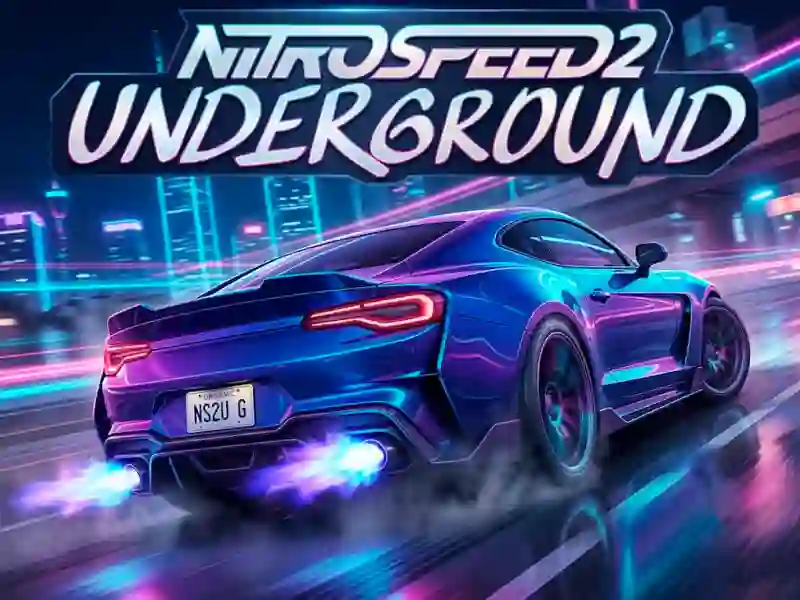
Nitro Speed 2 Underground — night racing in the city

Nitro Speed 2 Underground is arcade racing in sports cars through a neon-lit city at night. You get behind the wheel and speed through glowing streets, overtaking rivals on the tracks. Unlike similar arcade games in the genre, this one has two separate modes — time trials and free roam with no objective. The game is available on PC, smartphones, and tablets in your browser.

Pass rivals with nitro

You pick a sports car and head out onto a night track. Every race starts with a rolling start against several cars. You hit nitro on the straightaways to pull away from your rivals. You use drift mode on the city’s sharp corners. The track is lit by neon signs and traffic lights. Controls feel responsive: on mobile, the touch buttons are a bit tighter than on PC, but you get used to them by the first race. A similar race pace is offered by Mr Racer Car Racing.

Find your way through the city

The goal is to cross the finish line first in every race. You explore the night city, choosing short detours between districts and dodging traffic. In City Mode there’s no finish line — you just cruise the streets at your own pace, with no rivals and no timer. This format is great if you just want to take in the skyline and city architecture.

Upgrade your garage

Progress is built around the garage. You choose a car and gradually upgrade its speed and handling between races. New models change the feel of drifting and nitro boost. The faster the car, the sharper the handling feels on the city’s tight turns. A similar upgrade system is featured in Driver Club: Highway Racing.

10-minute pit stop

The game is perfect if you like short 5–10 minute races in your free time. Experienced players will enjoy precise drifting and nitro timing, while beginners can relax in free City Mode without rival pressure. A similar format for short city races is offered by Traffic Tour.

Your first city race

  1. Choose a sports car in the garage.
  2. Select a mode: time trial or free roam.
  3. Speed up and save nitro for the straightaways.
  4. Turn on drift mode with the B key on sharp corners.
  5. Finish first to unlock car upgrades.

Tips:

  • Don’t waste nitro in corners — it works best on a straight.
  • Turn on ABS with the T key on slippery parts of the track.
  • Practice corners in City Mode before time trials.

Launch Nitro Speed 2 Underground now — free, no download, on PC and smartphones, right in your browser!

Platform

Browser Desktop , Mobile and Tablet

Release

29 july 2026

Last Update

07 august 2026

How to play

PC:

  • WASD / arrow keys — move
  • Space — handbrake
  • B — drift on/off
  • T — ABS on/off
  • R — repair

Smartphones:

  • Touch arrows — move
  • On-screen pedal — gas/nitro
  • On-screen button — drift/handbrake


FAQ — Frequently Asked Questions

What is Nitro Speed 2 Underground about?

This is an arcade 3D racing game with sports cars in the city at night. You use nitro and drift to get ahead of your opponents. There are timed races and free driving without restrictions.

Is Nitro Speed 2 Underground a free game?

Yes, the game is completely free and available without registration on any device. No paid purchases are required for the basic playthrough, although cars can be gradually upgraded in the garage.

What devices does the game work on?

The game works on PC, smartphones and tablets. On mobile devices, touch control buttons are available, and the screen rotates to landscape orientation for easy play with one or two hands.

Do I need to download the game?

No, the game runs in the browser without downloading files. There is no need to install the application either on your computer or on your smartphone — you follow the link and the race begins immediately.

What is the difference between Race Mode and City Mode?

Race Mode — races with checkpoints and opponents against the clock. City Mode — free driving around the city without a goal and a timer, for practicing turns. Both modes are selected in the main menu before the start of the race.

How to enable drift mode?

The B key toggles drift mode on PC. On a mobile device, the same function is available as a separate touch button on the screen. Drifting helps you navigate sharp turns in the city without losing speed.

How to improve a car?

The garage allows you to select a car and improve its performance. This speeds up acceleration and improves control during races. A faster car makes time trials against opponents much easier.