

About Plants vs Zombies Fangame Demo
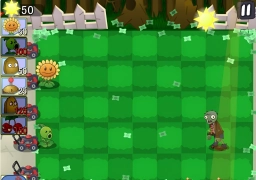
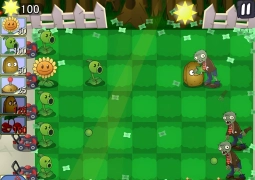
Plants vs Zombies Fangame Demo is an exciting free online strategy game in the Tower Defense genre. Your main task is to plant combat plants to protect your home from waves of advancing zombies. Like most fan projects, this browser game is available to play on your computer.
How protection works
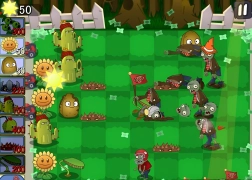
Immerse yourself in an exciting world where you will be the last line defense between hungry zombies and your precious brains. You need to constantly collect sunlight that falls from sunflowers or from the sky in order to get currency to buy and plant new plants. Proper selection and placement of plants is the key to victory.
Gameplay mechanics
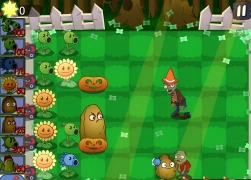
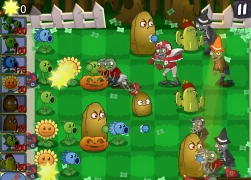
Each level is a field of several horizontal stripes along which zombies move. Your task is to place Plants vs Zombies so that each plant effectively attacks enemies in its lane. As you progress, new types of plants with unique skills will be available to you: some shoot peas, others slow them down, and others are powerful one-time bombs.
Tips for Newbies
Start by planting sunflowers to get plenty of sunshine quickly. This is the most important resource in the game. Once your economy has improved, move on to planting attack plants. Don't forget about the protective nuts, which can hold off a whole crowd of zombies. If you're looking for more content like this, check out Plants vs zombies or Zombie Siege Flower Defense and also for the game Plants vs. Zombies – Nostalgic Mirage Journey These are great online games to test your strategic thinking.
Control
The controls in this game are as simple and intuitive as possible, since the entire gameplay is tied to interaction with the battlefield.
On PC
- Left mouse button — select plants from the menu, collect sunlight.
- Left mouse button (click on a cell on the field) — planting the selected plant.
- Mouse cursor — hovering over interface elements and fields.
- If there is no room left in the field, you will need to use a shovel (if available) to dig up the old plants.
Play Plants vs. Zombies Game for fans on SGameS without downloading. Available for PC. Start your defense now!