

About Flowers vs Zombies
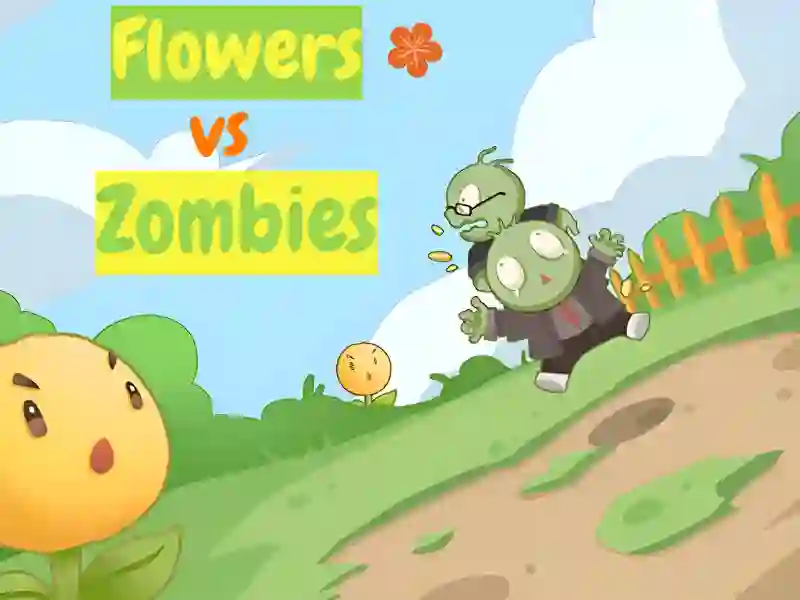
Flowers vs Zombies is a casual arcade game in the style of Plants vs zombies, in which the gameplay is focused on mechanics One button You find yourself defending a sunny lawn, where charming flowers resist the advancing forces of the undead. In its style and simplicity, the project resembles Plant Guardians And Zombies vs. Sunflowers The game is ideal for short sessions and is available without downloading in any modern browser on PC, as well as on mobile devices running Android and iOS.
Basic gameplay
You need to hold the defense by controlling the main flower located at the bottom of the playing field. Zombies appear from above and gradually move towards you. Your main task is to fire shots in time to destroy enemies before they cross the line of your garden. The emphasis is on accuracy and the right choice of moment to attack, as the number of enemies on the screen is constantly growing.
Levels and goals
The game is based on passing waves, where with each new stage the number and speed of zombies increases. Your goal is to earn as many points as possible and accumulate currency to strengthen your defense. Special enemies may appear on the field that require multiple hits, forcing you to act faster. Losing occurs the moment at least one zombie reaches your position.
How to play
The main emphasis here is on automatic or semi-automatic shooting, where you only need to set the direction or activate superpowers. One of the main life hacks: try to knock out the bonuses that sometimes appear on the field — they can temporarily turn your single shot into a powerful volley. Also, don't forget to upgrade your plants between attacks to increase their firepower and rate of fire.
Controls in Flowers vs. Zombies
For PC:
- Use the left mouse button to aim at the zombies and fire a shot. In some modes, a simple click is enough to activate a skill.
For smartphones:
- Manage your protection with simple taps on the screen. Touch the area where you want to send the projectile, or click on the ability icons at the bottom of the display.
FAQ — frequently asked questions
Are my records saved?
Yes, all your best scores and accumulated coins are saved locally in your browser, so you can always come back and beat your high score.
Can I play on a tablet?
Of course, the game is fully cross-platform and scales perfectly to fit any screen size.
Do I need to pay for new levels?
No, all content is available absolutely free and without mandatory registration.
Play SGameS without installation on your PC or mobile phone and protect your sunny meadow from the zombie invasion!